Messages, tasks, docs, video meetings, AI notes and agents in one place, with Matcha AI included. Replaces Slack, Notion and Linear, from €15 per person.
When every team has its own tool, information gets copied from tab to tab. In Matcha it exists once, and every part of the app can find it.
Messages, calls and video meetings
Team channels created for you, direct messages, threads, attachments and search. An audio or video call starts from the conversation and rings your colleagues, no link to send. A video meeting is scheduled from a channel or a direct message, one-off or recurring, with a reminder and a link for your external guests. Calls and video meetings on paid plans.
Replaces Slack, its huddles, and in-house video meetings on Teams or Meet.
Team channelsRecurring video meetingsCalls that ringSlack import
Tasks by team
Kanban or table, My tasks, a Blocked status, checklists and dependencies. Every task belongs to a team and can be handed to an agent like to a colleague.
Replaces Linear or Jira.
My tasksTeamsOne sentence, one taskImport from Jira and Linear
Docs and collections
A block editor co-written live, versions you compare before restoring, and collections (17 column types, 7 views) for a CRM or an editorial calendar.
Replaces Notion.
Live co-editingAutomationsImport from Notion
AI notes
When Zoom, Teams or a video meeting in the browser takes the microphone, Matcha offers to start an AI note. It records your voice and the other participants', with no bot joining the meeting, transcribes, then writes the summary in the right page. Each action item becomes a task in one click.
Replaces Granola, and meeting note-takers such as Otter or Fireflies.
On-device transcriptionSummary in DocsAI summary of callsAction item to task
Recording on macOS and Windows. Capturing the other participants needs macOS 13 or later, or Windows.
AI agents on the team.
They work under their own name, with only the permissions you tick, on Matcha AI or your own model.
More than twenty templates ready to hire: daily stand-up, chasing blocked tasks, quote follow-up, competitor watch…
"Recommended for you": Matcha suggests the agents that fit your team and your work, and "Describe the job in one sentence" drafts a custom agent
Permissions ticked one by one, enforced by the server
"Ask me before acting": the agent prepares, you approve
Never more rights than its owner
Woken by an assigned task, a mention in a comment, an alert or a schedule
"In Matcha", even with the computer off, or "On the computer" with Claude Code
Opal is Matcha's voice. Ask your question out loud from the Home page: Matcha answers out loud, with the same tools and the same permissions as in writing.
Interrupt it: it stops and listens
The microphone opens only when you talk to Opal: "Keep Opal ready" only preloads its voice
An action to confirm is approved by voice, with "yes" or "no"
A voice for Matcha, and one for each agent, picked by name after a ▶ Preview
"Talk to Nina": from an agent's page, a spoken conversation with it
An agent invited into a team call listens, answers out loud and acts with the permissions of the person who invited it, who approves every change
Opal is a free plugin, on Mac for now. An agent in a call is an "In Matcha" agent (Business plan), being opened to companies gradually.
For the tech team
44 alert sources, uptime monitoring and native terminals. An alert becomes a task in one click.
Nothing is synced between two tools: the meeting, the task, the page and the message live in the same database, under the same permissions.
Messages
Tasks
Docs
AI notes
Matchaone database, the same permissions
Calls
Agents
Alerts
Terminals
MCP, with the person's permissionsMatcha AI, or your model: local, your IT department's, or cloud
The meeting becomes a page
An AI note writes its summary into its own page, and every decision becomes a tracked task that links back.
Ask Matcha
With Matcha AI or the model of your choice, the assistant reads your tasks, pages and messages, cites its sources and acts: create a task, write a page, send a message, with Undo.
An agent, like a colleague
Assign it a task: it gets to work in the same tools as you, under your rules.
Matcha AI, or the model of your choice.
Matcha AI is included in paid plans. The assistant on the Home page answers, cites its sources and acts with Matcha's tools and your company's MCP connectors. Prefer your own model? Plug it in. Either way, the AI only sees what the person is allowed to see.
No separate AI subscription: the assistant is included from the Team plan.
The assistant on the Home page
Ask a question as you open Matcha: it searches your tasks, pages, messages and AI notes, cites its sources, then creates the task or writes the page, with Undo.
Connected to your other tools
On top of Matcha's own tools, the assistant uses the MCP connectors your company has added: your CRM, your business tool, your internal database. Access opens to the whole company, to teams or to individuals.
AI included, no surprises
About 300 questions per person per month on Team, shared across the company, and about 1,000 on Business. Need more? A €10 excl. VAT top-up adds about 2,000 questions, valid for 12 months.
Or the model you choose
A local model on the computer (Ollama, LM Studio), your IT department's server or your OpenAI key. A Local or Cloud badge always shows where the data goes.
The person's permissions, everywhere
The assistant, agents and search read everything with the permissions of whoever asks. A restricted space stays invisible, even to the AI.
Agents under control
Permissions ticked one by one, an "Ask me before acting" option, draft then publish. An agent never has more permissions than its owner.
Hosted in the European Union
The database and files are in Sweden, the servers in the Netherlands. The Enterprise plan can install everything on your own servers.
Encrypted, with a key per company
Messages, pages, tasks and AI notes are encrypted at rest with a key unique to your company, and in transit. You export everything whenever you want.
Your AI tools work inside Matcha
An open MCP server across all of Matcha: tasks, messages, docs, AI notes, agents and alerts. The clients below connect through OAuth, on the person's behalf and read-only by default. Grok bot connects with an API key.
Hermes Agent
OpenClaw
Grok bot
Claude Code
Codex
Cursor
Claude
ChatGPT
All trademarks belong to their respective owners.
No lock-in.
Matcha takes in what you already have, with imports from Slack, Notion, Jira, Linear, Trello, Asana and your CSV files, included from the Team plan. And you leave with everything, whenever you want.
Slack
Channel and message history, with people matched by their email address.
Notion
Pages, sub-pages, images and databases, internal links included.
Jira, Linear, Trello and Asana
Your tickets become tasks, with a preview before importing.
CSV files
A spreadsheet becomes a typed collection, and you review its columns before importing.
Your calendar and email, inside Matcha.
Connect your Google or Microsoft account, or an IMAP mailbox. The calendar shows up in Matcha, and both the assistant and agents find, summarize and draft your replies.
Your Google or Outlook calendar stays yours: Matcha shows it next to your tasks.
Calendar
Your Google or Outlook events next to your tasks. Create an event, or drag a task onto the calendar to reserve time for it: colleagues see "Busy". The assistant also finds a free slot and answers invitations.
Email
Google, Microsoft or IMAP, connected directly from Settings. Matcha finds an email, summarizes it, drafts the reply and sends it when you ask.
Company inboxes
contact@, support@: an admin connects the shared inbox and chooses who can access it, person by person. From the Team plan.
Matcha in your pocket.
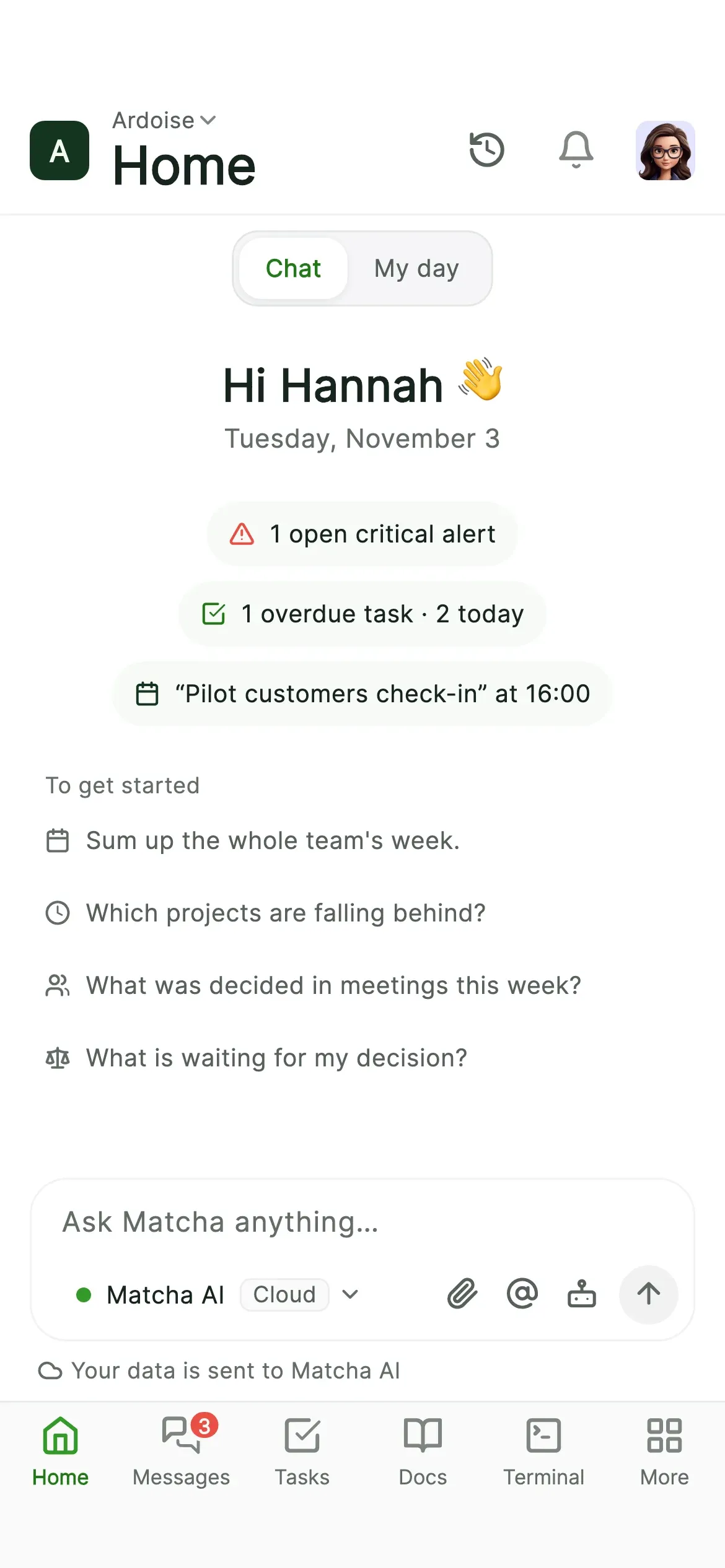
On the phone, the Home page becomes a conversation with Matcha. And you pick up the day where the computer left it: the same messages, the same tasks, the same pages, with the same permissions.
A conversational Home: ask, and Matcha answers and acts
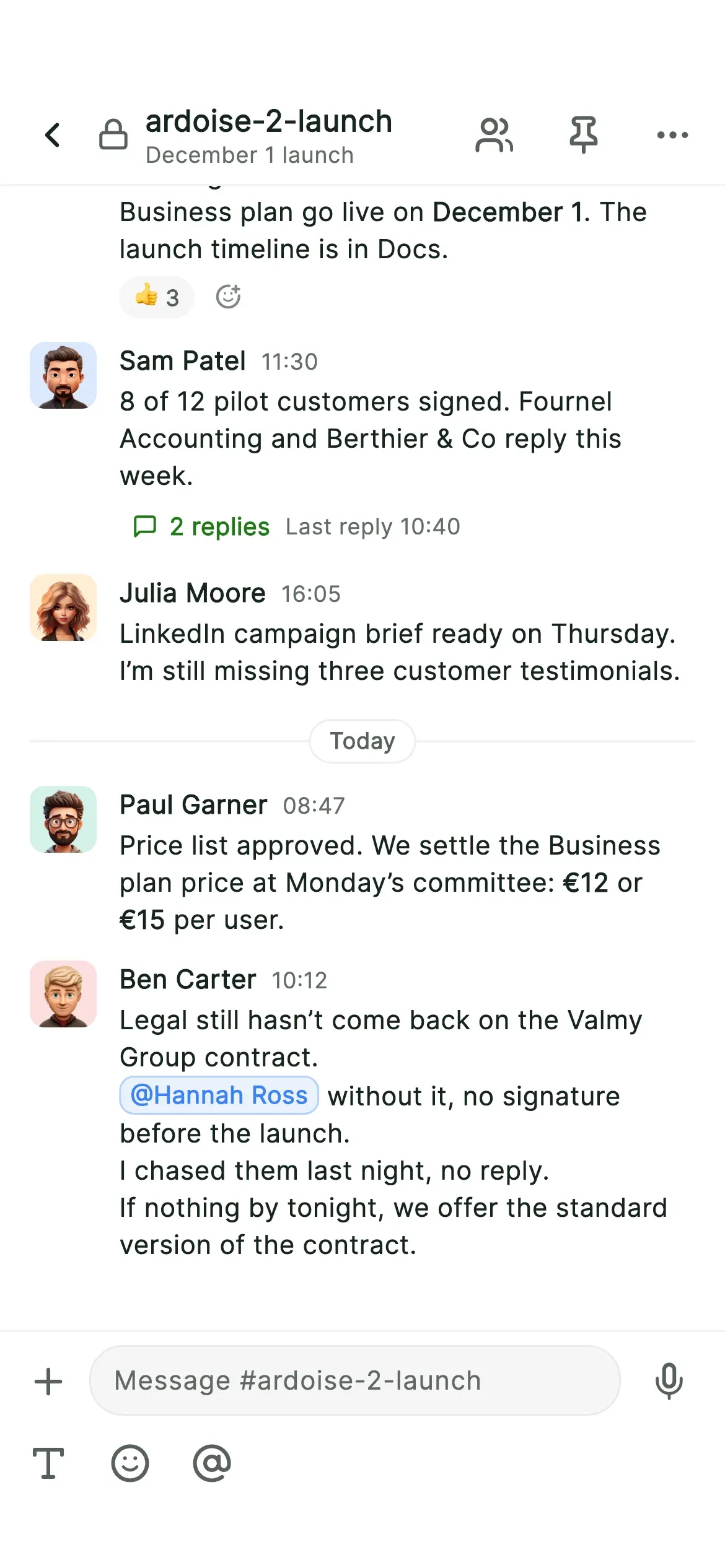
Messages, threads and direct messages
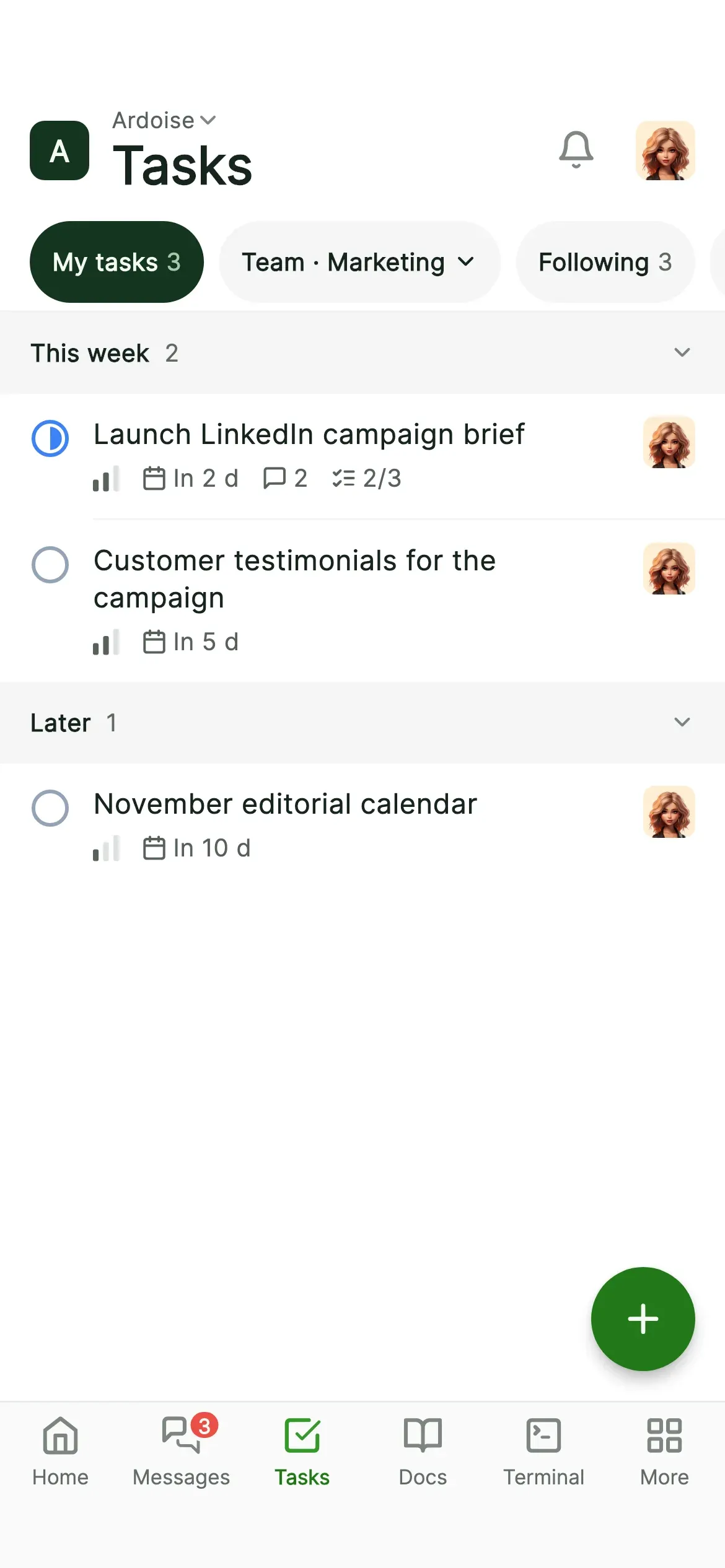
Tasks, My tasks and the Blocked status
Pages from Docs
Notifications for mentions, tasks and direct messages
Your computer's terminals, picked up from the phone and end-to-end encrypted, to turn on in settings
Everyone sees what they should, and leadership knows who did what. No separate console: everything is set in the app.
Access per team or per person
Each MCP connector opens to the whole company, to teams or to chosen people. A restricted space stays invisible to everyone else.
Guests
A contractor or a client joins the company as a guest, with an end date. They read the pages and channels opened to them and join the video meetings they are invited to. Guests are free, up to three per paid seat.
Two-factor authentication
Authenticator-app codes and backup codes on every account. On Business, the company can enforce it for everyone.
Channels and activity log
Owners and admins archive or delete any channel, and can read a private channel read-only, which its members can see. Every admin action is recorded, readable on Business.
Encrypted exports
An owner exports the whole company as an encrypted archive, on every plan. Your data stays yours.
Signed by GANEDEN
The Windows installer and its updates are signed in the name of GANEDEN, Matcha's publisher. On Mac, the app is notarized by Apple.
One subscription instead of four.
What Despii's stack would cost today at public prices, next to Matcha Team. Run the numbers on yours.
Despii, 20 people
per person per month
Slack Pro$7.25 to $8.75
Notion Plus$10 to $12
Jira Standard$9.70 to $10.21
Linear Basic or Business$10 to $16
Per year, for 20 people≈ €7,900 to €10,000
Matcha Team, billed yearly
€15 excl. VAT × 20 people × 12 months
€3,600
Matcha AI is included in this price: about 300 questions per person per month, shared across the company. Your own model works too.
Non-technical team
Chat, wiki, project tool, team video calls and meeting notes: about €43 to €68 per person per month. With Matcha Team: €15.
Microsoft 365 and Google Workspace are not equivalent.
With their AI, they cost from €13.60 to €20.36 excl. VAT per person per month, around Matcha's price, and they do what Matcha does not: email and office documents. But they offer neither project management on par with Asana or Jira, nor a Notion-style wiki, nor agents. Matcha sits next to your suite, not in its place.
Sources and method
Public prices excluding taxes, collected from the official pages, promotions excluded unless stated. Despii stack and suites: collected on 25 October 2026. Non-technical team: collected on 20 October 2026. Dollar prices converted at the ECB rate of 19 October 2026 (€1 = $1.1225), for reference only. Low end: the lowest price shown for each tool. High end: the highest, with Linear Business. Jira: prices shown for 20 people ($9.70 monthly; $2,450 a year for 16 to 25 people, i.e. $10.21 per person at 20). Non-technical team: Slack Pro, Notion Plus or Business, Monday Basic or Asana Starter, Zoom Pro, Otter Pro. Suites: Google Workspace Business Standard (€13.60, Gemini included), Microsoft 365 Business Standard with Copilot Business (€20.36 a year, the price shown while Copilot Business is on promotion). Some vendors offer volume discounts.
Built for speed.
Matcha is a real application written in Flutter, with native Rust engines for the terminal, co-editing and voice. Not a browser in disguise.
Mac, Windows, Android, and soon iPhone
A Windows installer that needs no admin rights, and updates that are signed and verified before every install. Android as a direct download, iPhone coming soon to the App Store.
Offline, on the computer
AI note transcription and one-sentence task creation run on the computer, through small models built into the app, with no internet.
Opens on the last known state
The app opens on your data straight away and keeps working when the network gets weak.
The Linux version is not distributed yet.
Born at Despii.
Matcha was built to run Despii, a shared e-scooter company. For about six months, its twenty or so people have worked in it every day: there, Matcha replaced Slack, Notion, Jira and Linear.
No credit card, Matcha AI included during the trial (about 700 questions). If you pay during the trial, you keep Business until it ends.
AI top-ups
Need more? A €10 excl. VAT top-up adds about 2,000 questions, valid for 12 months. Paid plans only.
Founder offer: 30% off for life
For the first 50 companies that subscribe to Team or Business, monthly or yearly. The discount applies automatically at checkout: Team at €10.50 instead of €15, Business at €17.50 instead of €25 (yearly prices).
Yes. Matcha AI is included in Team (about 300 questions per person per month, shared across the company) and boosted in Business (about 1,000). It is also included during the trial (about 700 questions). Need more? A €10 excl. VAT top-up adds about 2,000 questions, valid for 12 months. You can also plug in your own model, on every plan: a local model (Ollama, LM Studio), your IT department's server, or an OpenAI, Anthropic, Mistral or OpenRouter key pasted into Settings.
On Mac, Windows and Android today: the Android app downloads directly from this site. The iPhone app is coming soon to the App Store. On your phone you get your messages, tasks, docs and notifications, and you can pick up your computer's terminals. AI notes, calls and video meetings run on the computer. The Linux version is not distributed yet.
All questionsCan I bring my history, and take it with me?
Yes. Four import modules bring in what you already have: Slack (your chat history), Notion (pages and databases), tickets from Jira, Linear, Trello or Asana, and your CSV files, which become collections. And nothing is locked in: an owner can export the whole company at any time.
When the trial ends, a team of 3 people or fewer moves automatically to Free; beyond that, the company becomes read-only (data kept, readable and exportable) until a plan is chosen.